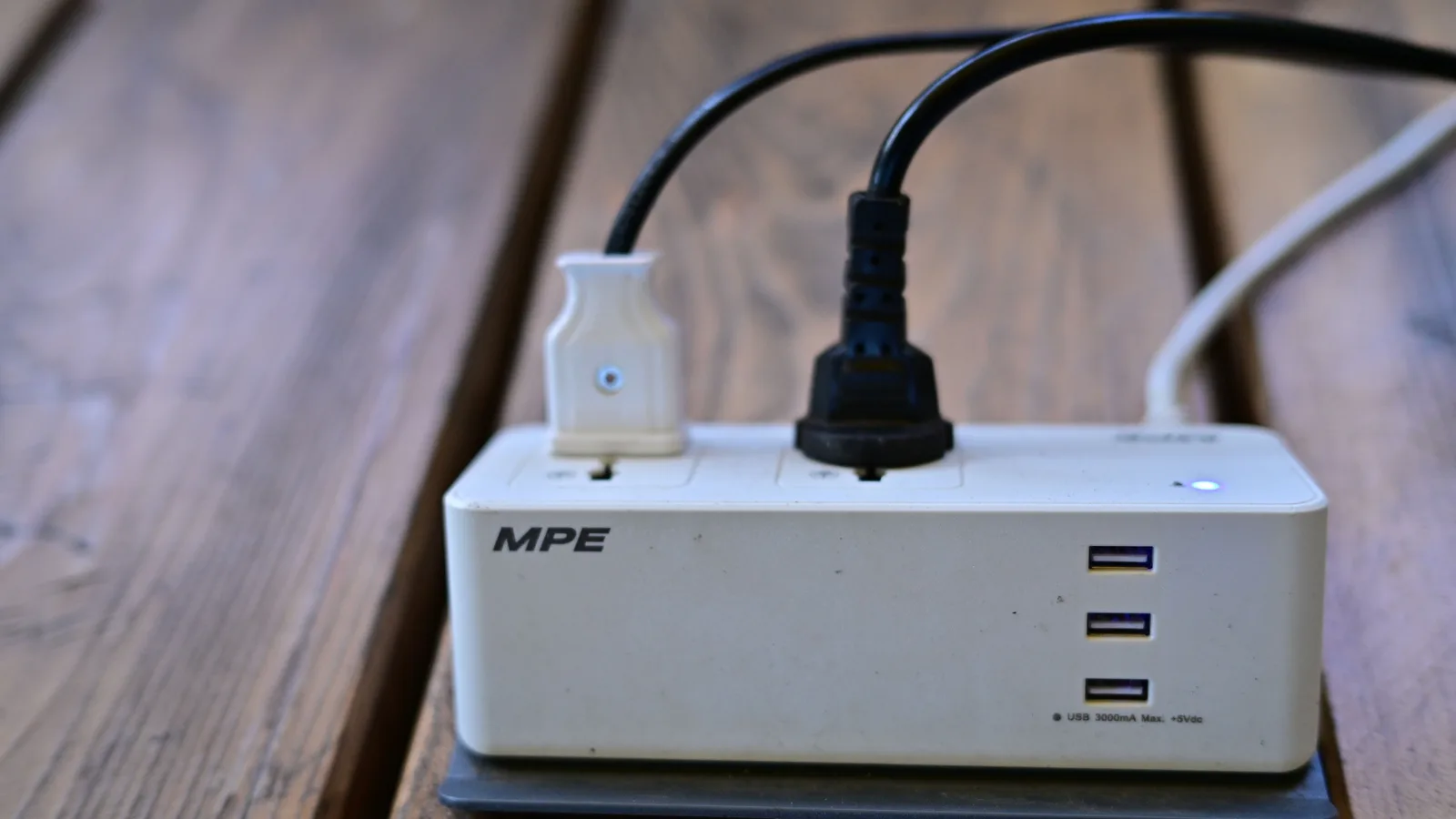
Measure the optional loads first, control compatible electronics as a group, and leave equipment with safety or continuous-service jobs powered.
Reduce phantom energy use by measuring devices while they are idle, grouping only optional electronics on safe controls, and leaving equipment that needs continuous power alone. Start with entertainment centers and home offices, where several devices share one routine. Do not unplug safety, medical, refrigeration, network, sump-pump, or security equipment just to chase a small saving.
What phantom energy actually means
Phantom energy is electricity used when a plugged-in device is switched off, sleeping, or not performing its main job. The U.S. Department of Energy calls this standby power. It can support a clock, remote sensor, display, memory, network connection, instant-on feature, battery charger, or software update.
That definition matters because an idle-looking device is not always wasting power. A router keeps the household connected. A security hub listens for sensors. A refrigerator cycles by design. The useful question is not “Can I make this read zero?” It is “Does this device need to be ready during these hours, and can I safely change that?”
Lawrence Berkeley National Laboratory says most individual products now draw relatively little in standby, often less than half a watt, but the total across many products can represent 5% to 10% of residential electricity use. That is a reason to audit clusters, not a promise that any one household will cut its bill by that amount.
Use a three-pass standby-power audit
- Map the clusters. List the television area, game setup, desk, printer station, guest room, kitchen counter, garage chargers, and seasonal equipment. Note what must stay available.
- Measure before changing. Use a listed plug-in electricity meter that can resolve low wattage. Let devices finish updates and settle into their normal idle state before recording a reading.
- Control one cluster and verify it. Change a power setting, add one suitable switched strip, or unplug a rarely used item. Confirm that clocks, recordings, network access, and automatic updates still behave as intended.
The Department of Energy's standby-measurement guidance explains why a quick glance can mislead: a stable load can be read directly, while a fluctuating load needs measurement over time to find an average. Consumer meters are not laboratory instruments, but the same principle applies. Give a console, printer, television, or audio receiver time to reach its real standby mode.
Decide what to switch and what to leave alone
| Device group | Good first check | Usually leave powered | Boundary |
|---|---|---|---|
| TV, speakers, console | Disable unnecessary quick-start modes; measure the whole cluster | Equipment recording programs or performing required updates | Do not exceed a strip's rating or hide it where heat builds |
| Computer, monitor, printer | Set automatic sleep; shut down equipment unused for days | Workstations running backups, remote access, or managed updates | Do not cut power during updates or data writes |
| Chargers and tools | Remove fully charged portable devices if the manual allows | Products whose instructions require a maintained charge | Stop using swollen, hot, leaking, cracked, or recalled batteries |
| Kitchen counter | Unplug rarely used small appliances with clocks or displays | Refrigerator, freezer, and equipment with a continuous safety role | Major appliances plug directly into suitable wall outlets |
| Network and smart home | Review energy settings and retire unused hubs | Router, modem, security, smoke/CO integrations, medical connections | Map dependencies before switching anything |
| Seasonal or guest-room gear | Disconnect after the season or between visits | Freeze protection, leak monitoring, or other required protection | Follow storage instructions for batteries and fuel-powered gear |
A simple label on each plug is more useful than repeated guessing. Photograph the cluster before changing it, label the modem and router, and note which outlet is switched. If a device loses settings or needs a long update after every power cut, its energy-saving mode may be the better control.
Choose a control that fits the load
A basic switched power strip works when several compatible devices can turn off together. An advanced power strip can use a control outlet, occupancy logic, or timer to cut accessory power after the main device shuts down. A smart plug adds schedules and remote control, but also becomes another networked device that uses power and needs updates.
Check the nameplate and manual for every connected device. Add the loads and stay within the control's electrical rating. The U.S. Fire Administration says major appliances should be plugged directly into wall outlets and power strips should not be overloaded. CPSC advises choosing products with a certification mark from an independent testing laboratory and replacing worn or damaged cords.
Never daisy-chain strips, run cords under rugs, force a grounded plug into an ungrounded adapter, or use an indoor strip outdoors. A hot plug, buzzing outlet, scorch mark, loose receptacle, repeated breaker trip, or burning odor is not an energy-efficiency puzzle. Turn off the load if that can be done safely and call a licensed electrician.
Budget for the audit before automation
You may spend nothing: built-in sleep settings, a nightly shutdown routine, and unplugging one seasonal cluster cost no money. For hardware, Home Depot listings checked in October 2026 showed common smart plugs around $16 to $25, while plug-in electricity meters and specialty controls varied by features. Treat those as planning examples, not a guaranteed local price.
| Option | Best use | Cost question |
|---|---|---|
| No-cost settings | Computers, televisions, consoles, printers | Does sleep mode preserve the function you need? |
| Plug-in meter | Finding a real idle load before buying controls | Can it resolve low wattage and total energy over time? |
| Switched strip | One cluster with the same on/off routine | Is it listed, accessible, and correctly rated? |
| Smart plug or strip | A repeatable schedule the household forgets | Will savings exceed the device's price and own power use? |
| Electrician visit | Warm, loose, damaged, buzzing, or inadequate outlets | Is the quote for diagnosis, repair, and testing—not just a new gadget? |
Do not estimate savings from watts alone. Your utility charges for energy, usually kilowatt-hours, and the result depends on the measured idle wattage, hours controlled, and local electricity price. Use the actual rate on your bill, then compare the annual reduction with the cost of the control. The monthly home-cost audit can keep the result in context.
The 4Homes weekly email
Every Tuesday: what changed for homeowners this week, plus our newest guides.
No spam. Unsubscribe anytime.
Save money without making the house less reliable
Start with the largest optional cluster you already understand. One entertainment center that reliably shuts down can matter more than unplugging chargers one by one. Use built-in settings before buying automation, borrow a meter when possible, and share one meter across the house rather than purchasing a control for every device.
Replace equipment for its full function, condition, and energy use—not standby power alone. When replacement is already due, compare the EnergyGuide label or ENERGY STAR information and save the old and new model numbers in your home inventory. For a broader room check, use the room-by-room energy reset. If the audit reveals damaged outlets or repeated trips, switch from savings mode to safety mode and use the electrical safety planning guide.
Work room by room instead of outlet by outlet
In the living room, begin with the complete entertainment cluster. Record the television, receiver, speakers, streaming device, console, and set-top box separately if the cords are easy to identify. Then test the total at the strip. Keep a set-top box or recorder powered if cutting it interrupts recordings, guide downloads, emergency alerts, or provider service. A console's low-energy standby setting may preserve updates without using its faster wake mode. The best result is a routine the household will keep, not the lowest reading achieved once.
At a desk, save open work and let backups or updates finish before measuring. Set the computer and display to sleep after a practical period, and shut down a printer that may sit unused for days if its manual permits. Do not place an uninterruptible power supply on a switch that defeats the backup job it was purchased to do. If remote access, overnight rendering, or scheduled backup is required, document that exception and focus on accessories such as speakers, extra displays, and chargers.
Kitchen and utility spaces need a narrower approach. A rarely used countertop appliance with an electronic display may be easy to unplug, but refrigerators, freezers, sump pumps, leak alarms, and life-safety equipment are not optional standby loads. Laundry and garage equipment may contain clocks, radios, battery maintainers, or freeze protection whose purpose is not obvious. Read the manual and identify the consequence of a power cut before putting any equipment on a timer.
Verify the change over a full billing cycle
Write down the measured standby watts, the hours you expect the control to remain off, and the date you changed it. Recheck the same cluster after a week. Make sure household members have not bypassed the control because it is inconvenient, and confirm that updates, recordings, alarms, clocks, and network services still work. A control that gets left on all day or repeatedly unplugged from the wall is not solving the original problem.
Utility bills are noisy evidence because weather, occupancy, heating, cooling, and billing-period length also change. Compare energy use in kilowatt-hours rather than the dollar total, and do not credit one smart plug for a whole-home decline it may not have caused. The stronger proof is the before-and-after meter reading at the controlled cluster, supported by a bill trend over comparable periods. Keep the successful settings and remove controls that add complexity without a measurable benefit.
Phantom-energy checklist
- List device clusters and mark equipment that must stay on.
- Enable safe sleep and energy-saving settings first.
- Measure stable and fluctuating idle loads long enough to be useful.
- Control only compatible devices with the same routine.
- Use listed, correctly rated products and keep them accessible.
- Never put major appliances on general power strips.
- Calculate savings with measured use and the actual utility price.
- Call an electrician for heat, damage, buzzing, scorch marks, loose outlets, or repeated trips.
Frequently Asked Questions
What is phantom energy use?
Phantom energy, also called standby power or vampire power, is electricity a device uses while plugged in but switched off, idle, or waiting for a remote command, network update, clock, sensor, or other background function. Some standby use is necessary; the practical goal is to find optional loads rather than disconnect everything.
Which devices use the most standby power?
There is no dependable universal ranking for every home. Older set-top boxes, game consoles, printers, audio equipment, and office gear can be worth measuring, but settings and usage patterns matter. Test the clusters that contain several devices or stay warm while idle instead of assuming every charger is the main problem.
Is it safe to put appliances on a power strip?
Major appliances and high-wattage heating or cooling equipment should be plugged directly into a suitable wall outlet, not a general power strip. Use only listed strips within their ratings for compatible electronics, never daisy-chain them, and stop using any strip, cord, plug, or outlet that is hot, loose, cracked, buzzing, scorched, or damaged.
Should I unplug my router at night to save electricity?
Usually not if the router supports security equipment, phones, medical devices, updates, or other services that must stay connected. Treat network gear as an essential always-on load, review its energy settings and replacement age, and target optional entertainment and office devices first.