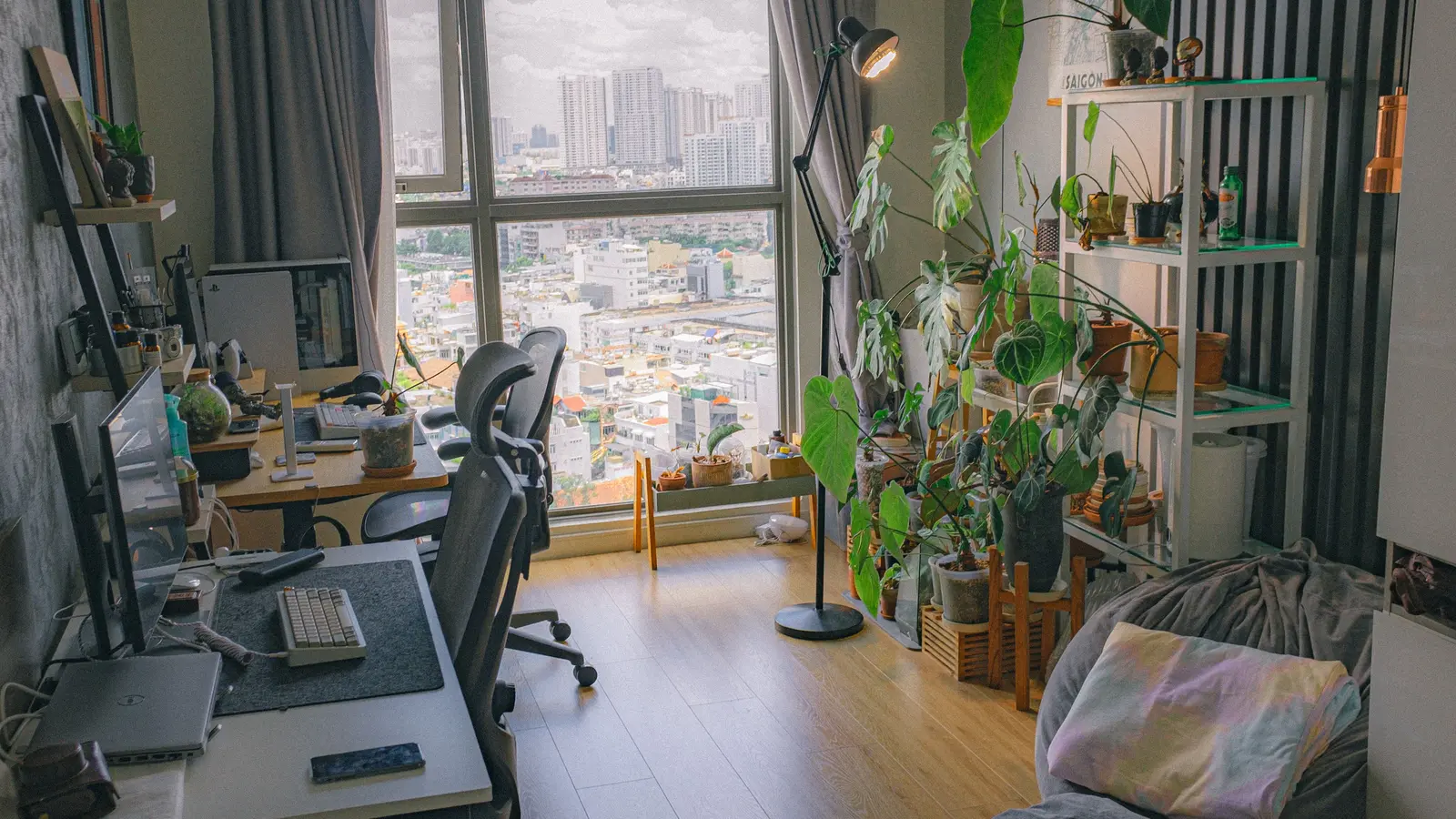
Build a reversible office that protects the shared room: measure the work zone, contain cables and papers, soften noise, then close work in five minutes.
To organize a home office in a shared room, build a reversible work zone that can open for the workday and close in about five minutes. Protect the room's main use first, keep the walking path clear, and give the computer, cables, papers, and chair a specific place to go when work ends.
My view: a shared-room office is successful when the other person can use the room without negotiating with your job. A bigger desk rarely fixes that. A boundary and a shutdown routine do.
Start with a full-size floor test
Measure the proposed wall, but also measure what happens in front of it. Record the desk width and depth, the chair pulled back far enough to sit down, open drawers, nearby door and closet swings, baseboard heaters, radiators, floor vents, outlets, and the route between room entrances. Use painter's tape to mark the desk and chair at full size. Then walk the route carrying laundry, a vacuum, or whatever normally moves through the room.
Keep the office out of the required exit path and away from any window needed for emergency escape. Do not cover a heat source, return-air grille, electrical panel, smoke alarm, or sprinkler. Local building and fire rules control required clearances; when a desk or storage plan interferes with an exit, alarm, or fixed building system, choose another location.
The desk must also fit your body and equipment. The Occupational Safety and Health Administration says a monitor should generally sit directly in front of the user and at least 20 inches away, with room under the work surface for the legs and feet. That does not require a huge desk. It does mean a narrow console is not a computer desk if the screen ends up inches from your face or the keyboard forces your shoulders forward.
Build four parts, not one piece of furniture
A reversible office has four separate parts. Treating them separately makes the setup easier to change when a child returns from college, a guest arrives, or the living room needs to host dinner.
- Work surface. Use a stable desk, wall-mounted drop-leaf surface installed into suitable structure, or table that fits the taped footprint. Folding furniture must lock open and remain stable under the actual equipment load.
- Work chair. Choose a chair that supports the work session, then give it an after-hours parking spot. In a living room, that may be a chair that can serve the conversation area once the laptop closes.
- Active storage. One drawer, rolling cart, or lidded box holds the items used this week. It should fit completely under or beside the desk without taking away leg room.
- Archive storage. Papers and supplies you do not use daily belong somewhere else. A shared bedroom should not become the company records room.
If the room is already tight, use the same tape-and-path test in our small living room layout guide. If the office shares a bedroom, the small bedroom guide can help remove low-value furniture before you add a desk.
Budget by the problem you still have
These are planning ranges, not quotes. They reflect ordinary listed prices across IKEA, Target, The Home Depot, and major office-supply retailers; delivery, installation, tax, and regional availability can change the total.
| Tier | Typical range | What it should solve |
|---|---|---|
| Use what you own | $0–$75 | Painter's tape, cable ties or sleeve, document box, task light, and a tray that clears the table after work. |
| Compact reset | $150–$450 | A small stable desk, supportive used or entry-level chair, rolling file box, lamp, and basic cable management. |
| Daily-work setup | $500–$1,200 | A better adjustable chair, purpose-fit desk, monitor arm when compatible, closed storage, and modest acoustic treatment. |
| Built-in or electrical work | $1,200 and up | Custom millwork, a professionally installed wall desk, new receptacles, lighting, or room alterations. |
Save money by improving the bottleneck first. If the table height and chair are workable, buy a used locking file cabinet and a proper task light before replacing the desk. Ask an employer whether it provides a monitor, chair, dock, or ergonomic assessment. Check manufacturer dimensions and load limits before buying used furniture or a monitor arm, and check the U.S. Consumer Product Safety Commission recall database for secondhand storage furniture.
Put cables inside the work-zone boundary
Run power and data so no cord crosses the shared walking route. Use the nearest suitable receptacle rather than creating a room-length chain. A listed power strip is not permanent building wiring, and an extension cord should not run under a rug, through a doorway, or where furniture pinches it. The U.S. Consumer Product Safety Commission warns that damaged or overloaded cords can create fire and shock hazards.
Mount a cable tray only if the desk and fasteners are designed for it. Otherwise, use a removable sleeve and attach each device cable to the back edge of the desk with reusable ties. Leave a relaxed service loop so raising a sit-stand desk or moving a laptop does not pull a plug partly out. Keep power adapters ventilated and off bedding or upholstered furniture.
One charging tray can hold the dock, headset, and phone after hours. If the only outlet requires a cable across a door or the receptacle is loose, warm, scorched, or unable to support the needed equipment, stop. A licensed electrician should evaluate the outlet location or condition rather than hiding the problem under a cord cover.
Control paper with a one-in, one-out path
Give paper three destinations: action, file, or discard. The action tray holds only work that needs attention now. The file box holds records that must be retained. A covered shred bin or discard tray handles the rest according to employer and legal requirements. Do not build five categories for paper that should leave the room.
Keep personal household records separate from employer or client records. Sensitive paper belongs in locked storage, especially in a bedroom used by children, guests, or roommates. Use a small scanner only if digital copies satisfy the applicable retention rule. A photograph on a personal phone may violate an employer's security policy.
For household papers, the filing approach in the monthly home-cost audit keeps recurring bills and annual records from drifting onto the desk. The desk should hold work in progress, not every document connected to the house.
The 4Homes weekly email
Every Tuesday: what changed for homeowners this week, plus our newest guides.
No spam. Unsubscribe anytime.
Reduce distraction without pretending to soundproof
Start with the schedule. Reserve call windows, agree on a visual signal for live meetings, and tell the other room user when the desk will close. A headset with a microphone near the mouth usually improves call clarity more than decorative foam placed randomly on a wall.
Then reduce hard reflections. A rug pad and rug, lined curtains, a fabric pinboard, books, or a removable acoustic panel can soften echo. Keep textiles away from heaters and follow the product's mounting and fire-safety instructions. A folding screen can create a visual boundary, but it must stand securely and stay outside the route through the room.
These changes do not make a confidential call private. Household noise can still enter the microphone and your voice can still travel. Use headphones for incoming sound, close a door when available, and take sensitive calls in a location that meets the privacy requirement.
Use a five-minute shutdown routine
- Save and close work on the employer-approved device.
- Put the active paper in its tray and lock sensitive records.
- Dock or store the laptop, headset, keyboard, and mouse.
- Coil only the movable leads; leave permanent connections undisturbed.
- Clear the desk, switch off the task light, and park the chair inside its boundary.
The routine is the real storage system. If shutdown takes 20 minutes, there are too many active items or their storage is too far away. Remove one step. A desk that disappears behind closed cabinet doors can help, but a simple tray and rolling box often achieve the same reset for much less.
Add a weekly reset to the two-hour weekend home reset: return stray supplies, empty the discard tray, wipe the work surface, and check the cords. If papers, packages, and equipment keep spreading beyond the tape, the work zone needs less inventory, not another organizer.
When to call a professional
Call a licensed electrician for a new receptacle, hardwired light, damaged outlet, repeated breaker trip, warm plug, burning odor, or any plan that would modify building wiring. Use a qualified installer or carpenter for a wall-mounted desk, overhead cabinet, or tall storage unit when you cannot identify the correct structure and fasteners. Renters should get written owner approval before drilling, adding electrical work, or attaching heavy furniture.
Tall or climbable storage needs the manufacturer's anchoring system installed into a suitable wall connection. The U.S. Consumer Product Safety Commission repeatedly warns that unanchored furniture can tip onto children. If you cannot anchor it correctly, choose low stable storage or get installation help.
Frequently Asked Questions
How do I set up a home office in a shared bedroom?
Choose one measured wall or corner that does not block the bed, closet, window, door swing, or exit. Keep the desk shallow enough to preserve the walking route, use closed portable storage for work papers, and end each day by putting the computer, chair, and active files back inside the work zone.
How can I hide a home office in a living room?
Use a desk that can close or visually quiet down, one rolling file box or drawer unit, and a defined shutdown routine. A folding screen can hide the work surface after hours if it remains stable and does not block a path, vent, heater, or exit. The goal is to remove work cues, not disguise a permanently overflowing desk.
What is the minimum desk depth for a home office?
There is no single minimum that fits every computer. Measure from the front edge to the monitor position and confirm you can keep the screen at least about 20 inches from your eyes, as OSHA recommends, while leaving room for the keyboard and mouse. A laptop-only station may fit a shallower surface than a separate monitor setup.
How do I reduce noise in a shared home office?
Start with scheduling and microphone placement, then add soft surfaces such as a rug, lined curtain, upholstered chair, or removable acoustic panel to reduce reflected sound. These treatments can make calls clearer, but they do not soundproof a room. For privacy, use headphones and move confidential calls to a closed room when possible.
How do I keep work papers secure in a shared room?
Keep only the current project on the desk. Put sensitive records in a locking file box or locking drawer, shred papers according to your employer or record-retention rules, and do not leave documents visible during family, guest, or roommate use. Employer-managed devices and records should follow the employer's security policy.